Ultimate Guide to Framer Plugins, Templates, and Tools
Framer's real magic is its ecosystem. This guide breaks down Framer plugins, the marketplace, templates, components and tools, what they do, the best of 2026, and how to choose them.
You have chosen Framer as your website builder! Congrats! It's a smart choice, but the default editor of Framer is just a starting point. The real magic happens when you start exploring everything built around it: Framer plugins, the Framer marketplace, ready-made Framer components, and ever-growing Framer tools. When you use them smartly, it can cut your build time in half. As of 2026, Framer's templates, plugins, and components live inside the new Framer Community (introduced with Framer 3.0), which absorbed the older standalone Marketplace. You can browse, preview, and add resources there without leaving Framer.
This guide explains everything you need to know about Framer plugins, templates, and tools. So, keep reading.
How is Framer different from other website builders?
Framer is not just another drag-and-drop website builder; it gives designers full creative control without requiring them to write code. Developers and designers can build and deploy fast and still end up with something that looks custom-built.
However, what makes Framer different is its ecosystem. Framer has a thriving community of developers, designers, and creators who build tools, templates, and components for everyone else to use.
Let's understand them in detail one by one.
What are Framer plugins?
Have you ever built a website using Framer and thought, "I love building a website, but I am tired of doing the same steps again and again"? If yes, you need Framer plugins. They are not just another shiny add-on, but practical tools that take the annoying part of building (repetitive layout tasks, formatting, importing, etc.) and decrease these steps to a couple of clicks.
For example, do you want to add a cookie consent banner? Want to connect Google Search Console without leaving your editor? Run an SEO audit? For all these, you have plugins.
The best thing about Framer plugins is that you don't need to be a developer to use them; most plugins work with a few clicks.
If you don't use plugins, you would spend hours switching between tools, copying data, or hiring a developer for every small feature. However, with Framer plugins, you can bring all these features into one place: your Framer workplace.
These plugins save time, reduce costs, and let designers do things that they usually need developers to do.
The best Framer plugins of 2026
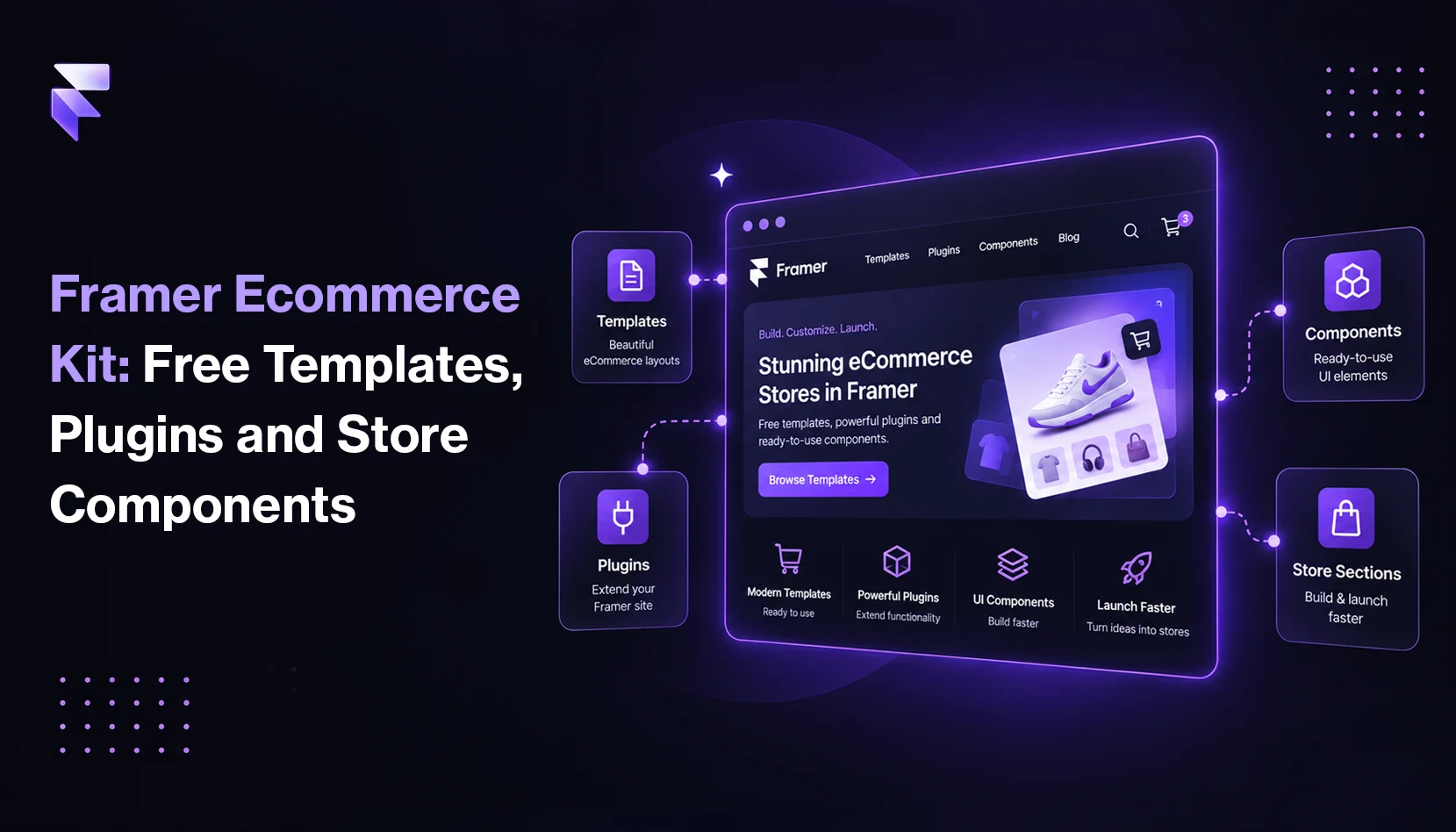
Framer offers plugins and Framer tools in various categories such as AI, Assets, CMS, Design Workflow, E-Commerce, Developers, SEO, Localization, Utilities, UI Kits, and Integrations.
| Plugin Category | Use | Examples |
|---|---|---|
| AI | These AI-powered plugins are used to generate content, images, components, and interactive experiences. | Workshop, Private Rewriter, BG Remover, LLM Text Generator, AI Blog Writer, SVG Maker, etc. |
| Assets | They are used to source and manage assets like icons, images, videos, animations, and other design sources. | LottieFiles, Dither, ASCII, FrameAssets, Video Optimizer, ColorFlow, etc. |
| CMS | These plugins are used to manage and sync content. You can import, export, and connect data from CMS platforms and external sources. | Notion, CMS Exports, Sanity Sync, Publishr, YouTube Sync, Marble, Notra, etc. |
| Design Workflow | They support design workflows and handoff. These plugins sync with design tools, manage styles, and simplify design systems. | Tidy Up, Lyba, Figma Sync, TokenIt, Carto, SnapKit, Asset Vault, etc. |
| E-Commerce | These plugins are used for building eCommerce stores, selling products, and managing payments. You can add checkout, subscriptions, pricing, and authentication flows using these plugins. | FeCommerce, Shopify Sync, FramerCart, Memberhub, Dodo Payments, etc. |
| Developers | These plugins are used to extend Framer's functionality through custom code and logic. | GitHub Release, GoReview, LineKit, StyleFix, Code Sync, Framer Social Share Buttons, etc. |
| SEO | They are used to improve search visibility and site quality. Using them, you can manage SEO, analytics, accessibility, and compliance. | SEO Toolkit, Search Console, SEO Boost, RankFrame, Schemark, and more. |
| Localization | These Framer plugins are used for translating and localizing content. Using them, you can build multilingual sites and manage language-specific experiences. | Langsetu, Page Translator, Loka, Locale Sync, Text Animator, Nebulang, etc. |
| Utilities | You can use these plugins for everyday tasks like calculations, timers, productivity flows, and more. | Spell Checker, Renamer, Effects Studio, Likes, Image Manager, Cookie Pro, and more. |
| UI Kits | These plugins offer reusable UI kits and design systems. Using them, you can easily add ready-made components and a structured layout to your projects. | Rive, Migrate, Light UI, Cursor Flow, Absolute UI, UI Vault, etc. |
| Integrations | You can connect your Framer website with external tools and services using these plugins. | HubSpot, Calendly Booking, Chat On WhatsApp, Message On Instagram, etc. |
What is the Framer Marketplace?
The Framer marketplace is Framer's official directory of templates, components, and plugins. It was launched in 2023 and has grown quickly. In 2026, it had thousands of assets covering different categories like SaaS, portfolio, blog, E-Commerce, real estate, and more.
You can find Framer templates, components, and plugins here. Some of them are paid, and some are free.
How does the Framer Marketplace work?
You can easily browse what you're looking for. You can search by category, filter by free or paid, and preview before you commit.
Choose a template or component. If the specific template or component is free, you will see the Use for Free button. Click on that.
After that, you can customize your website by changing texts, swapping images, adjusting colors, and more.
You don't need to download, unzip, or import anything.
What are Framer templates, and why should you use them?
If you want to build an attractive website without starting from scratch, Framer templates are for you. Using them, you can quickly go from idea to a live site and build your responsive website. Everything is already built, such as layout, sections, typography, and spacing. All you need to do is swap your content in and hit the publish button.
If you use HTML templates, you need a developer to modify them, but Framer templates work entirely in the visual editor. These templates save time. What might take a designer a week to build from scratch takes only a few hours with a good template. Besides, Framer templates are responsive by default. So, they look great on desktop, tablet, and mobile without any extra work from you.
Popular categories of Framer websites are business, creative, community, and style. You can build portfolios, service sites, creative showcases, news sites, and community sites using these templates.
| Category | Website types you can build |
|---|---|
| Business Templates | Service, Technology, Landing Page, Health, Real Estate, E-commerce, Food, Travel |
| Community Templates | Education, Environmental, Membership, Conference, Social, Wedding, Political, Non-Profit |
| Creative Templates | Portfolio, Blog, Art & Design, Graphic Design, Entertainment, Fashion, Interior Design, Artist |
| Style Templates | Modern, Minimal, Professional, Light, Dark, Grid, Colorful, Large Type, Black & White, Typographic, 3D, Pastel, Monochromatic, Gradient |
How to choose the right Framer template
Here are a few tips to keep in mind when choosing the best-fit Framer template for you.
- Most Framer templates come with a live preview. So, click through every page, look at the mobile view, and see if the design fits with your brand direction.
- Choose the right category. Templates are built for specific industries like E-Commerce, blogs, SaaS, portfolios, and more. Select the one that is closest to your use case, because customizing a similar template is far easier than forcing a mismatch.
- Read the creator's notes carefully. They help you understand what is included in the template, like the number of pages, CMS setup, fonts used, and any third-party plugins required.
- Framer offers both free and paid templates. Free templates are great for experimenting, but paid ones come with more pages, better animations, and ongoing updates. If you're searching for a template for client work, go for a paid template because it's always worth the investment.
What are Framer components?
Framer components are reusable design elements. Instead of designing each element from scratch, you use pre-built, customizable pieces. A few examples of Framer components are a pricing table, a feature grid, a contact form, and more. All you need to do is include it in your layout, style it to match your brand, and move on.
If you don't need a full website design but one specific section, you should use Framer components. They work perfectly for designers who already have a layout but want to speed up the design process and production, teams building pages for specific campaigns, and freelancers who assemble client sites from vetted, well-designed pieces.
Framer offers custom and pre-built components. If you have coding knowledge, you can write custom code components using React. You can share it, sell it on the Framer Marketplace, or keep it private for your own projects. If you're a non-coder, the visual component editor is more than enough for most use cases.
Bottom line
Undoubtedly, Framer's core editor has immense power, but the real value is what surrounds it. Framer plugins can expand what you can do. The Framer marketplace gives you assets that save hours of work. Framer components let you build highly professional websites without starting from scratch.
Framer's ecosystem is still growing. New plugins launch almost every day. More Framer templates hit the marketplace every week. If you're building websites on Framer, you should stay familiar with these tools because it helps you stay competitive.
So, start with one plugin and browse the marketplace. Try a new component pack on your project, and you will understand the real reason behind the growing Framer community.
FAQs
1) How do I install Framer plugins?
If you want to install Framer plugins, open your Framer project and click the plugins icon in the left sidebar. Search for the plugin you want and click the install button. Once it is installed, you can see it right inside your editor and start using it in seconds.
2) What are Framer plugins and how do they work?
Framer plugins are tools that help you add extra features to your Framer editor, such as SEO audits, animations, forms, and more. They work inside Framer, so you don't need to leave your workplace. All you need to do is install it, open it, and use it.
3) Where can I find the best Framer templates?
You can find the best Framer templates in the Framer Marketplace. It has many free and paid templates across categories like portfolio, blog, SaaS, and E-Commerce. You can preview any template before buying it and use it in your project with a single click.