All-in-One SEO Plugin for Framer
Make Framer sites that actually rank, no code. SEO Toolkit reads your live page, gives you a 0–100 score, and runs meta, JSON-LD schema, search and social previews, a technical checklist and real Lighthouse speed audits, all inside Framer.
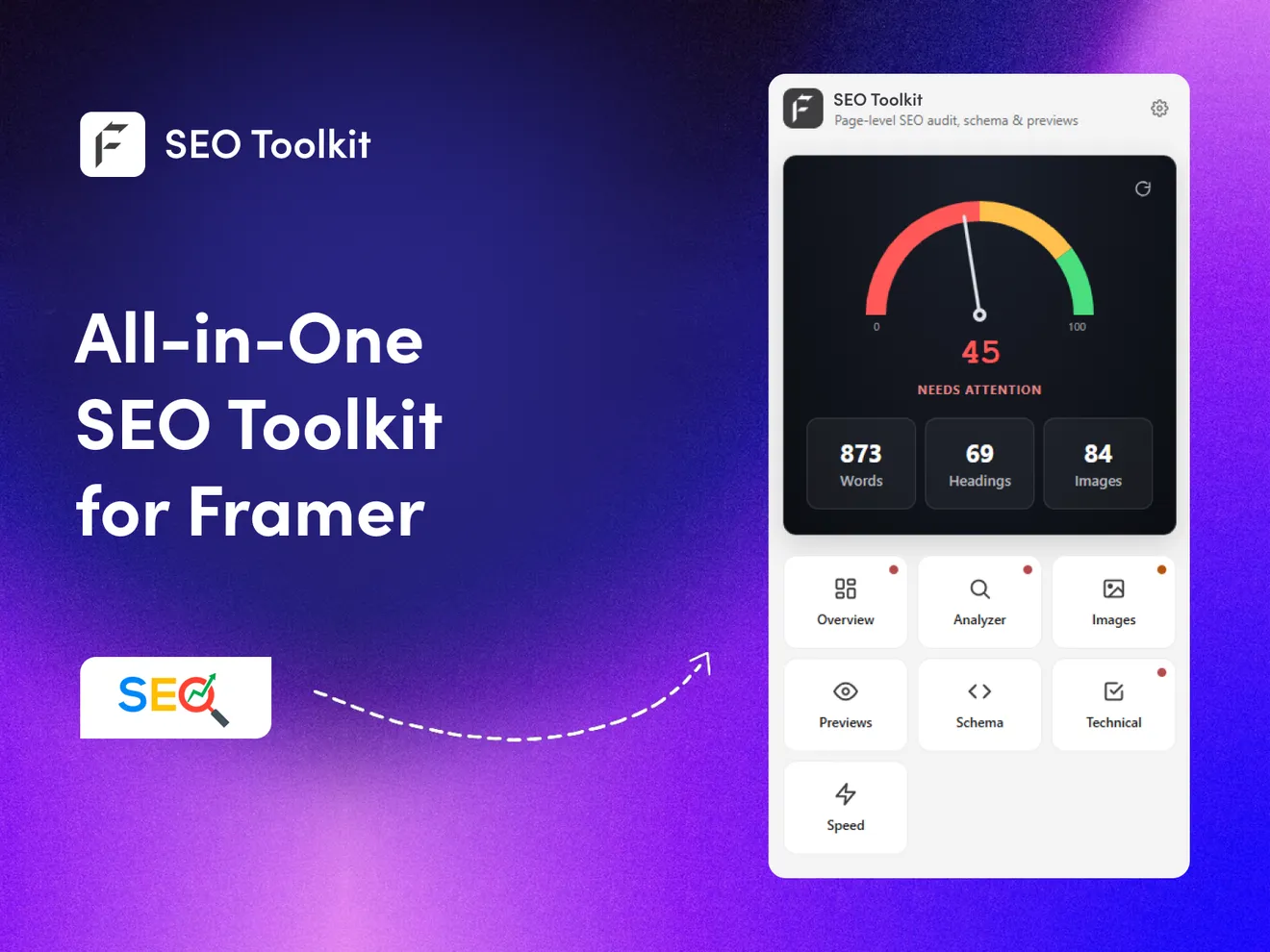
SEO without the guesswork
Live score & analyzer
A 0–100 speedometer score that updates as you edit, reading your real headings, images and word count from the canvas.
Schema, meta & previews
Meta and Open Graph editors, a JSON-LD generator for 8 schema types, and pixel-accurate Google SERP and social card previews.
Technical & speed audits
A 9-point technical checklist plus real Lighthouse speed audits via Google PageSpeed, no API key needed.
Live in three steps
Install the plugin
Add SEO Toolkit from the Framer Marketplace in one click, free.
Walk through the tabs
Nine focused tabs, Overview, Analyzer, Images, Previews, Schema, Technical and Speed, guide a complete on-page audit.
Copy into Framer & rank
Paste your finalized title, description, slug, OG image and schema into Framer's settings, then publish.
Frequently Asked Questions
Is SEO Toolkit for Framer free?
Yes, it's completely free to install from the Framer Marketplace. There's no API key to set up and no tracking. You get the live 0 to 100 score, the meta and schema editors, SERP and social previews, the technical checklist, and Lighthouse speed audits without paying anything.
Do I need an SEO plugin for Framer?
Framer handles the technical basics, but it won't actually tell you whether a page is optimized well or not. That's the gap SEO Toolkit fills. It reads your live page, scores it from 0 to 100, points out weak headings, images, and thin word counts, and generates schema for you. Basically, it turns guesswork into a checklist you can work through. And it's free on the Framer Marketplace.
How do I add schema markup (JSON-LD) to a Framer site?
Framer doesn't have a built-in schema generator, so normally you'd add JSON-LD manually in a page's custom code. SEO Toolkit does the heavy lifting instead. It generates valid JSON-LD for 8 schema types, including Article, Product, and FAQ, and you just paste the output into Framer's custom code section. No hand-coding needed.
How do I set canonical tags in Framer?
Framer adds a self-referencing canonical URL to every page you publish, and you can override it in the page settings whenever you need to. To be safe, SEO Toolkit's technical checklist double-checks that the canonical tag is there and pointing to the right URL, which helps you steer clear of duplicate-content problems.
Can I check my Framer page speed for SEO?
Yes. SEO Toolkit runs real Lighthouse speed audits through Google PageSpeed right inside Framer, and you don't need an API key for it. That means you can measure Core Web Vitals and load times, both of which affect your Google rankings, without ever leaving the editor.
Complete your store

FeCommerce
Sync WooCommerce products into Framer CMS with product and cart components.
Learn more
StripeKit
Connect Stripe and drop drag-and-drop Buy Now buttons with checkout wired in.
Learn more
Calendly Booking
Embed Calendly scheduling natively in Framer, styled to match.
Learn moreMake your Framer site rank
Install SEO Toolkit free and optimize every page with a live score, schema, previews and speed audits.